Technology
Declutter your digital life with a 5-day email challenge designed to boost your online organization and strengthen your tech skills.
We all have organizing projects that we put off, and that’s just as true in our online life as in our closets and kitchens. In a recent survey, more than half of people over 50 say they are having trouble managing and organizing their digital information.
Sign up to join the 5-day Digital House Cleaning Challenge to feel more secure and in control of your digital footprint. Here’s what to expect in your inbox when you sign up.
We’ve designed each day and corresponding newsletter around a key topic, complete with classes and resources to guide you through. Download the Digital House Cleaning Challenge checklist to print and follow along from home.
Day 1: Privacy Settings on Your Phone
- Watch our Tech Tip videos on How to Limit Tracking in iPhone Apps or Android Apps to learn more about app tracking.
- Read Reviewing iPhone Privacy Settings or Reviewing Android Privacy Settings for step-by-step instructions on how to see and adjust what the apps on your phone can access.
- Take our Privacy Personality Quiz. Are you an an open book, a digital ninja, or somewhere in between?
- Join some of the classes below to dive deeper into the topic of privacy settings.
Control Your Online Privacy
Ensure that you are aware of what personal information you are sharing with the apps that you use. Review the app permissions on your smartphone and restrict access wherever possible.

Day 2: Password Managers
- Read our Techspert article on Strong Passwords to learn why strong passwords are important and what changes you can make to strengthen your passwords across accounts.
- Watch our video Learn to use the Passwords app if you are an iPhone user or Learn to sign up and use the Bitwarden app if you are an Android user.
- Join some of the classes below to dive deeper into the topic of passwords.
Manage Your Login Credentials
A password manager helps to store and protect your passwords across different online platforms. It can also suggest strong passwords and monitor for data breaches among existing passwords.
Day 3: Social Media Settings
- Read step-by-step instructions for Reviewing Publicly Visible Content on your Facebook Account to ensure you know what your Facebook permissions are.
- Review your privacy settings and make changes that you feel comfortable with while you’re in your Facebook account.
- Join some of the classes below to dive deeper into the topic of social media settings.
Control Your Online Sharing
You can control who sees what content on your social media profiles by adjusting the privacy settings. Check your posts, pictures, and profile info to see whether you’re still comfortable sharing their contents.

Day 4: Digital Documents
- Watch our video on How to Scan a Document with iPhone if you’re an iPhone user or How to Scan a Document with Android Using Google Drive if you’re an Android user.
- Watch our video on How to Sign a Document on iPhone to learn about signing documents on your iPhone.
- Watch this video recording on Estate Planning Made Easy to stay on top of your personal life administration.
- Join some of the classes below to dive deeper into the topic of securing important documents.
Convert Your Files to Digital
Decide what documents need to be digitized so that you can feel confident the right people can access them. Scan your documents with your phone. Storing these sensitive documents locally as a temporary solution is OK, but ultimately, you’ll want them in a more secure digital location, such as a digital vault.

Day 5: Secure Storage
- Read our handout on Digital Vaults to learn what documents should be stored in a digital vault vs. standard cloud storage.
- Read AARP’s article What Is a Digital Vault, and Do I Need One? to learn more about why it’s important to get your important documents in order.
- Sign up for a digital vault service. While there are a few different options to choose from, AARP members can get a discount on Prisidio.
- Join some of the classes below to dive deeper into the topic of safe storage solutions.
Secure Your Important Information
Set up a digital vault to help you secure your sensitive files and information. Digital vaults are more secure than standard cloud storage because they provide a specialized type of encryption. You can think of digital vaults like a digital safety deposit box.
Join the Decluttering Tips group on Senior Planet Community, our social platform for seniors!
What to Expect
In this 5-day challenge, you’ll learn how to better control what digital information you share, the importance of password managers, how to store important documents using digital vaults, and more.
When you sign-up with your email address, you’ll receive one email per day for 5 days. Each day, we will share a challenge for you to complete. For example, the first day we will challenge you to update your app permissions on your phone. We’ll also share resources to help guide you through the process.
If you want to unsubscribe from Senior Planet emails at any time, you can do so at the bottom of any Senior Planet email or reach out to us.
Ready to take the challenge? Sign up now! Questions? Call our free hotline at 888-713-3495.
 Checklist: 5-Day Digital House Cleaning Challenge
Download or print our Digital House Cleaning Challenge checklist to help you keep track of your daily tasks and overall goals. Follow along to stay organized, secure, and in control of your digital data!
Click Here to View and Download
New to Senior Planet? Click here to learn more about everything you can do online or in your community.
Tech Tip Videos
How To Limit Tracking in Android Apps
How to Scan Documents on iPhone
How to Scan Documents with Google Drive (Android)
How to Sign a Document on iPhone
Estate Planning Made Easy
Looking for more videos? Click here to explore our “Digital House Cleaning Challenge” playlist on YouTube!
Articles About Technology

Senior Planet News
Celebrate Learning this Lunar New Year
The Lunar New Year - also called the Spring Festival - is the most widely celebrated holiday in China and the perfect time to feature Senior Planet's Mandarin offerings.
Technology
Tech Hub: Report from CES
Senior Planet's Tech Hub kicks off 2026 with a report from CES on readers' future tech wishes like home robots, wearables, smart glasses...and a robot golf caddy.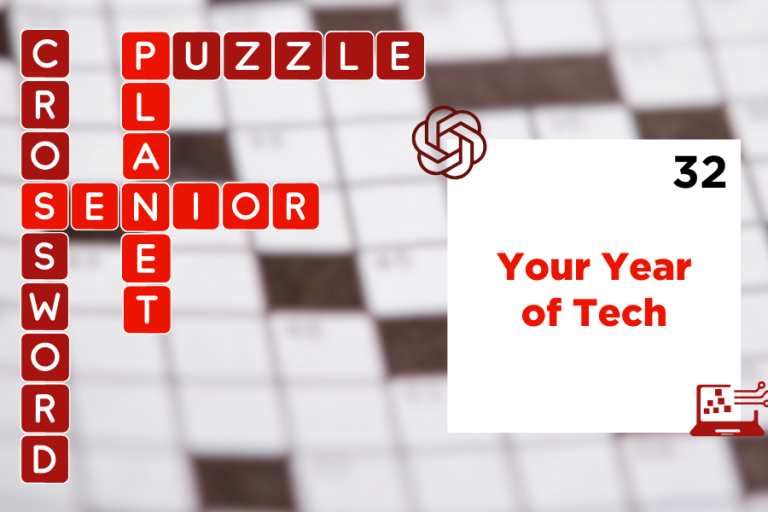
Crossword
Play January: Your Year of Tech
Test your skills with January’s crossword puzzle, Your Year of Tech, exploring the digital tools, habits, and trends shaping how we learn, connect, and stay curious in 2026.
Open Thread
Open Thread Extra: Your Tech Holiday Wish List
What's on your technology wish list this holiday season? What would you like to see under your tree - and at CES?
Technology